How to Redeem AKAYUKI Codes: Codes Menu and Fixes
Step-by-step Akayuki code redemption plus fixes for codes that fail: wrong case, already claimed, expired, or a server running an older game version.
FAQ
Where is the Codes button in AKAYUKI?
Why does a code say invalid when it is spelled correctly?
Can I redeem the same code on two accounts?
Do I need to be a certain level to redeem codes?
Redeeming codes in AKAYUKI: Steel Blossoms Red takes four clicks, and the menu is reachable before you ever enter a duel. This page covers the exact path, the in-match shortcut, and what to do when a code that should work refuses.
If you only want the current list, go straight to all working Akayuki codes.
Redeem a code from the main menu
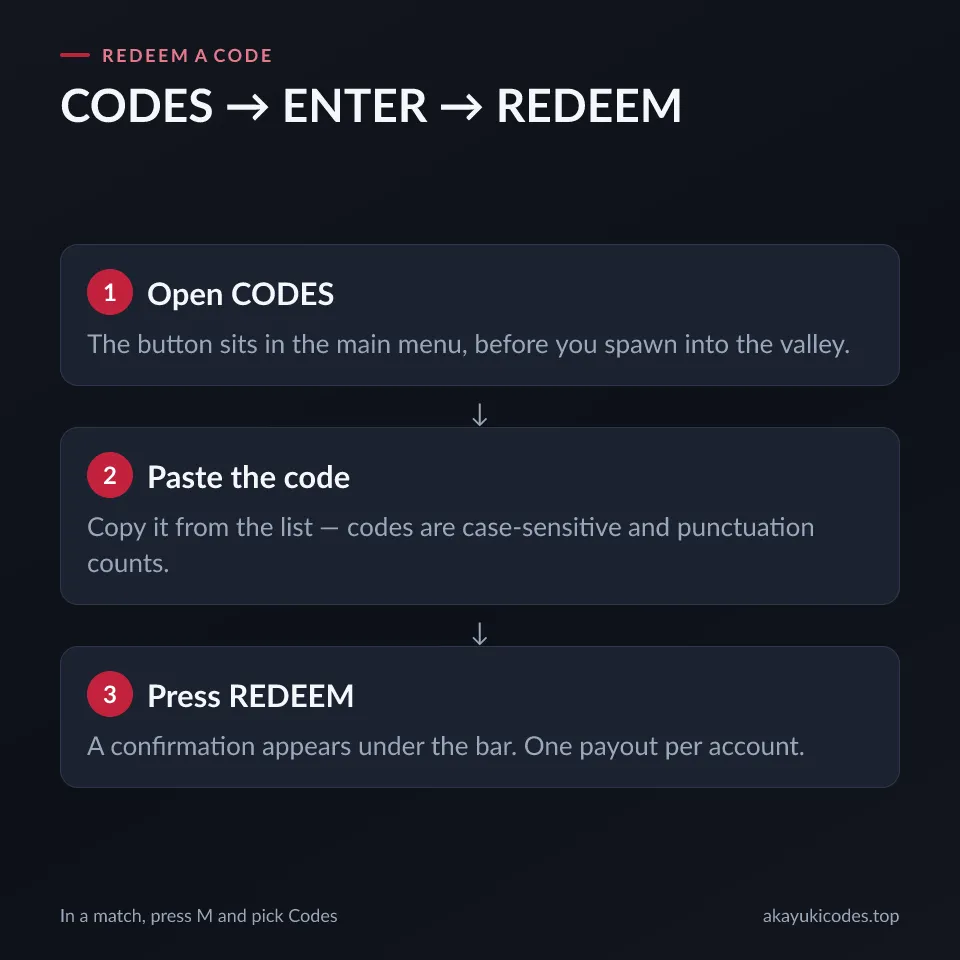
- Launch AKAYUKI: Steel Blossoms Red on Roblox.
- On the title screen, click CODES.
- Paste a code into the ENTER CODE field.
- Press REDEEM.
A successful redemption shows a reward confirmation under the code bar, or the reward lands in your inventory immediately. Check for that confirmation before moving to the next code — a silent failure looks identical to a success otherwise.
The menu is available before you spawn, so you do not need to find a code station in the world.
Redeem mid-match
Already in the valley? Press M to open the in-game menu, then choose Codes. The same ENTER CODE field appears. This is also the menu where mouse sensitivity and other settings live, which is why it is worth knowing the shortcut early.
Copy the code, do not retype it
Every code on this site is a one-tap copy target. Use it. The two hardest-to-type codes are !2k2k2k! and the single-source Jolly3k___:
!2k2k2k!starts and ends with an exclamation mark.Jolly3k___ends with three underscores, not two and not four.
Retyping either one by hand is the most common way to lose a reward.
When a code will not redeem
Work through this order before writing the code off:
- Check case and punctuation. Codes are case-sensitive. The game does not normalise input.
- Check for a trailing space. Pasting from a list that has invisible whitespace produces an invalid code.
- Check whether you already claimed it. Each code pays once per account. A second attempt returns the same error as a dead code.
- Rejoin the game. Newly released codes sometimes need a server running the current version. Leave and rejoin, or join a different server.
- Only then treat it as expired. Use the status and check date on the codes page — an expired code being tried again will never work.
A code that fails on a fresh account, with exact copy-paste, on a re-joined server, is dead. That is the point to stop trying it.
What to spend the rewards on
Codes hand out gold, Rename Spins, XP and skins, and the two resource types go to different systems:
- Gold → forge. Blade upgrades open at levels 5, 10 and every five levels to 50. See every blade upgrade milestone.
- Rename Spins → family name. Rarer names give stronger stat buffs, and the buff display shows what a roll actually gives before you keep it. See family names and rarities.
If you have just started, spend the first batch the boring way: gold on the next blade upgrade, spins on your family name. Skins can wait.
Codes are not the only free rewards
The early game also pays out through quests and the tutorial. The beginner guide walks through the six-step dojo tutorial, the Path of the Sword quest tracker and the level 5 forge unlock, which is more currency than any single code.
Found a code that is missing?
The codes page lists where new codes are announced, and the contact page is the right place to send one that is not on the list. Include the approximate date you redeemed it — a code from three weeks ago is usually already dead.
Related Articles
Was this helpful?
Thanks for the feedback!